Every property, one record.
Address, units, property details, photos, ownership, mortgage, insurance, tax and HOA notes, kept together on the property.
EstateFlow gives your company a private workspace for properties, residents, leases, work orders, bills and owner records. Then we customize it to fit the way your team already runs.
See the screens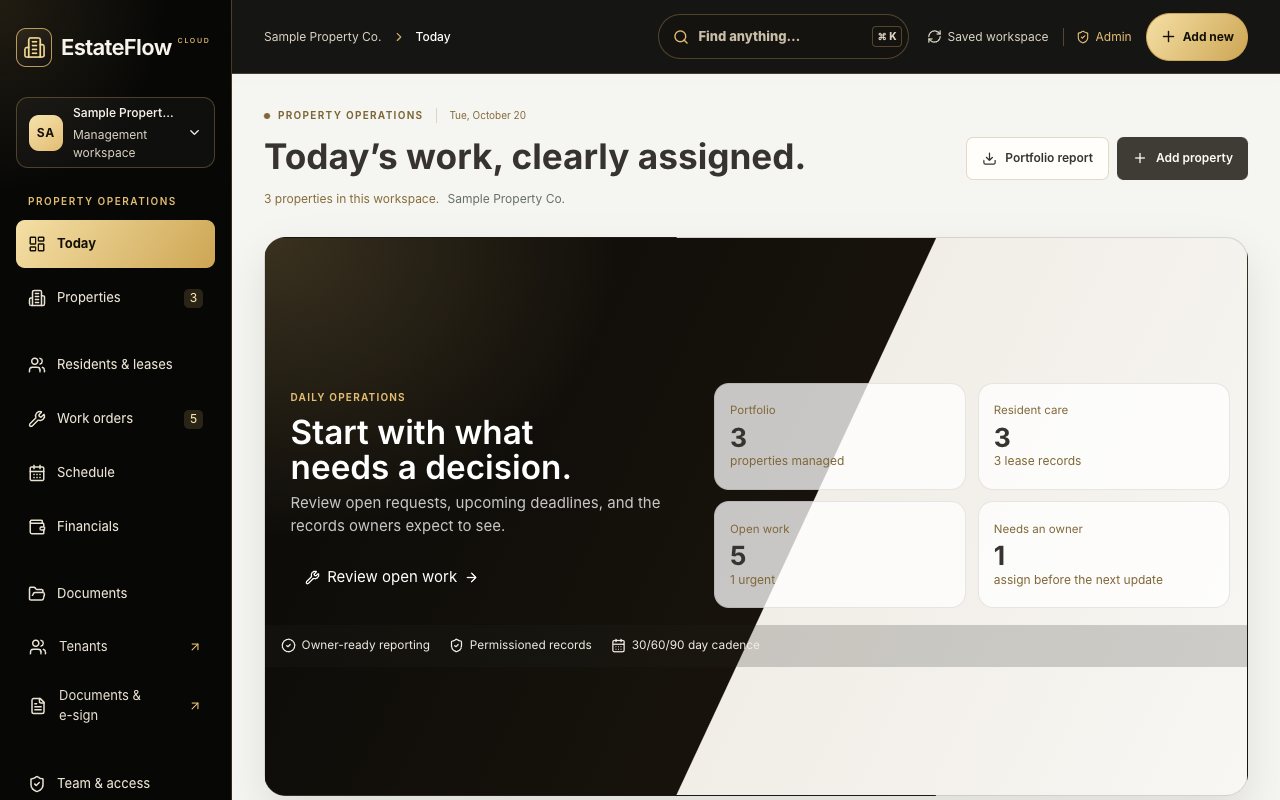
Tell us what you need and we build it: your steps, your fields, your reports, the features you’ve been missing.
These are the parts of EstateFlow that work right now. Anything missing is what the customization is for.
Address, units, property details, photos, ownership, mortgage, insurance, tax and HOA notes, kept together on the property.
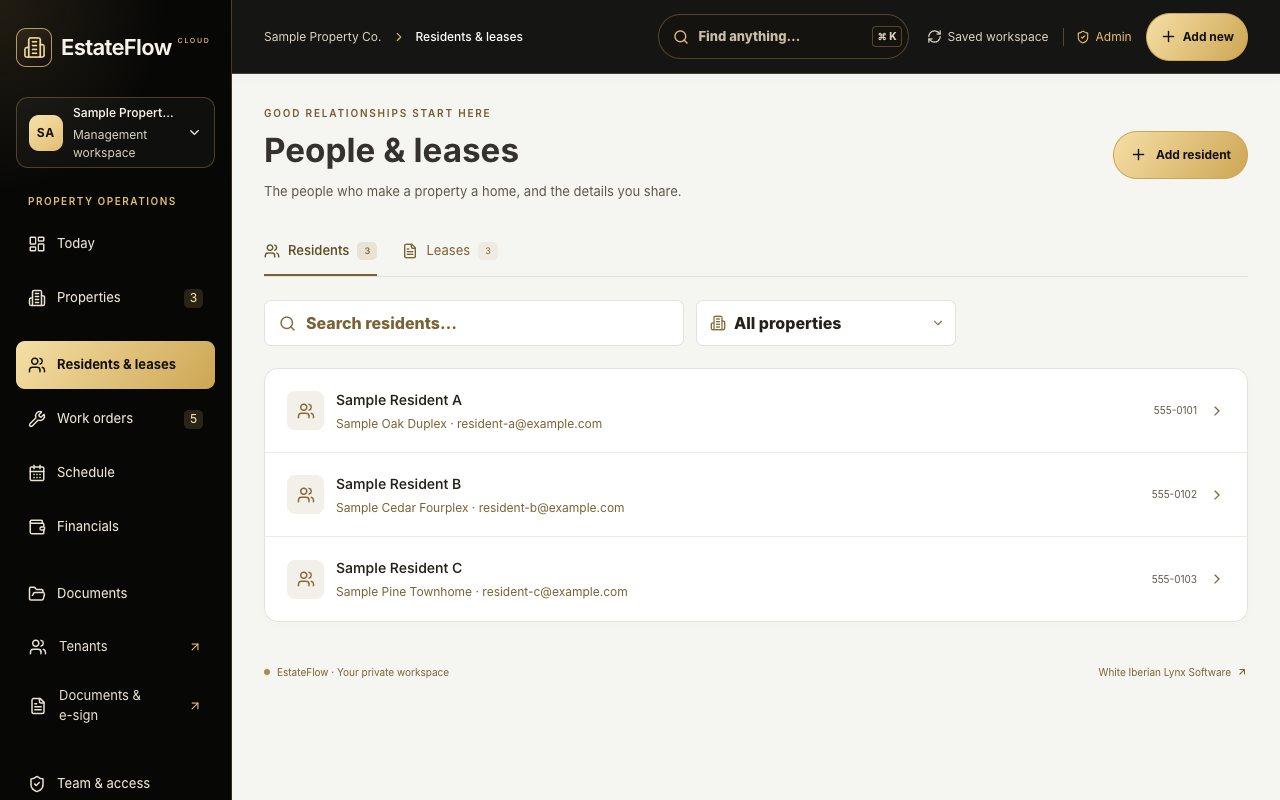
Resident records linked to leases with start and end dates, monthly rent, deposit and status.
Maintenance requests with priority, status, assignee and due date, plus tasks for everything else that has to get done.
One-time, monthly, quarterly or yearly bills and obligations, with due dates that roll forward correctly.
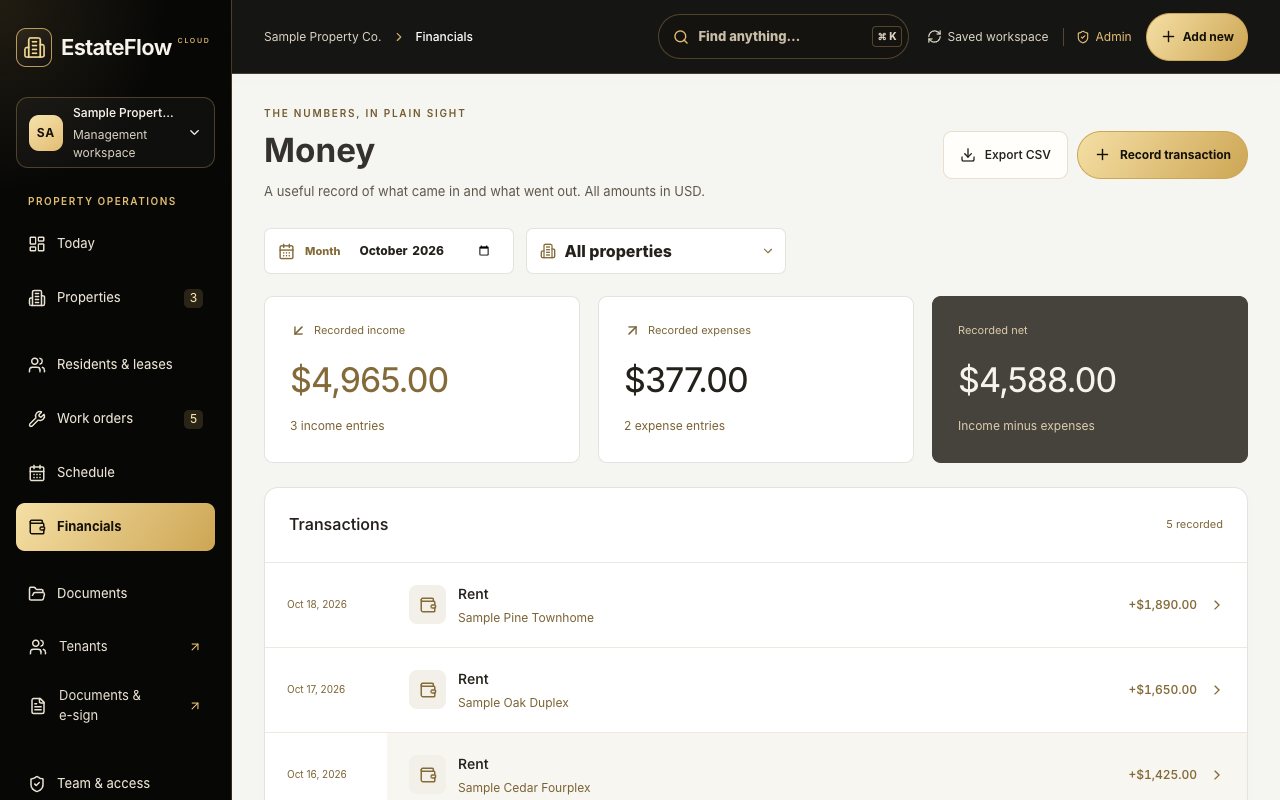
Record income and expenses per property, filter by property and export to CSV. Category suggestions come from your own past entries, and you review them before anything is applied.
Invite managers who can edit or viewers who can only read. Invitation links work only for the invited, verified email, expire after seven days, and access can be removed at any time.
Link leases, inspections, insurance and other documents to the property they belong to, sorted by category.
Separate EstateFlow message rooms for properties, maintenance, leasing, finance and documents, apart from everything else on Raschild.
Search the whole workspace from one box, or press Ctrl/⌘ + K from anywhere in it.
Property owners get their own owner workspace with a monthly cash statement and rent roll they can print or export.
Export active records as JSON and transactions as CSV. Property details from an earlier EstateFlow backup can be copied in without replacing anything.
Your team signs in with a Raschild account. Workspace records are private to the people you invite and never appear on public profiles.
Captured from EstateFlow itself. The company, properties and people shown are made-up examples, not customers.
Try the live demo, no sign-up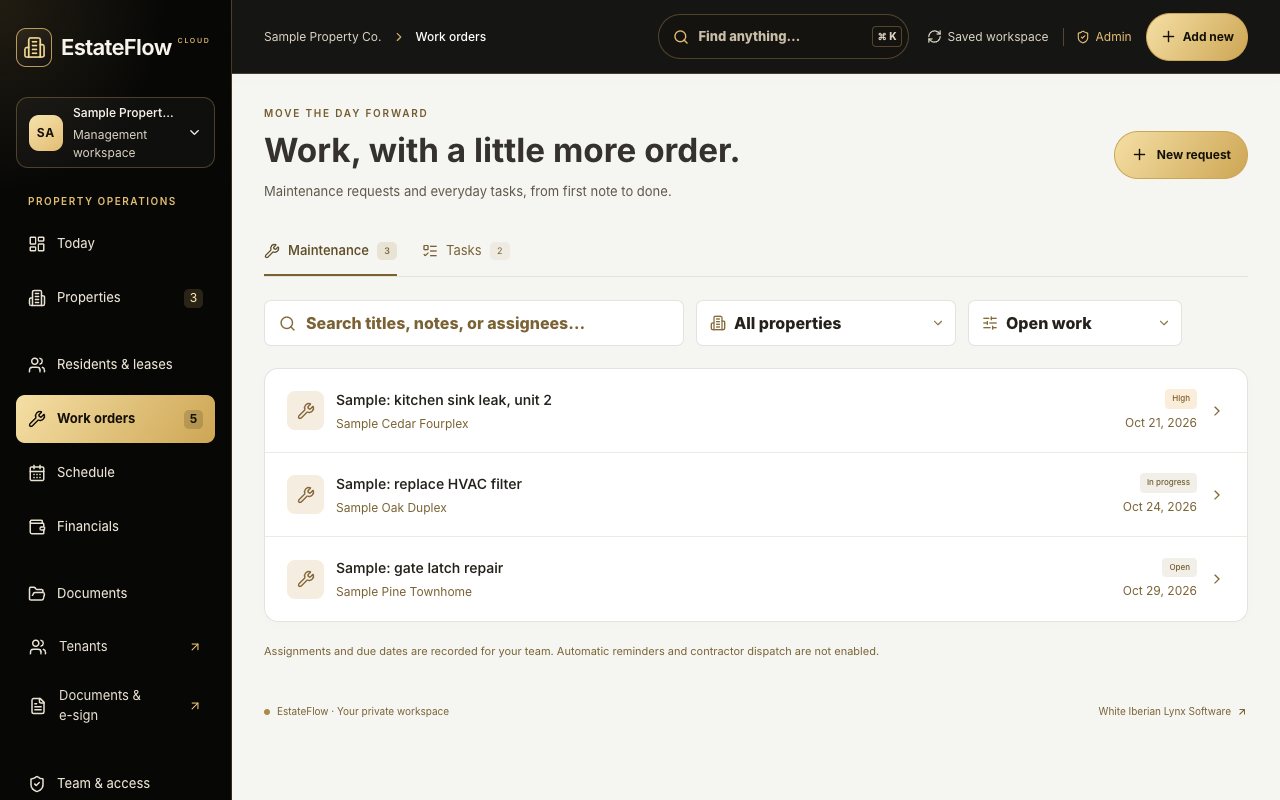
Each request is scoped and agreed with you before it’s built.
Need one of these? Put it in the form. It’s exactly the kind of thing we build.
Fill out the form below: your company, how many doors you manage, what you use now, and what you need EstateFlow to do.
We walk through your workflow with you, then agree on a written scope and price before any work begins. Submitting the form costs nothing.
We set up your company workspace, help bring in your properties, invite your team, and build the changes we agreed on.
Private cloud workspaces with properties, residents, leases, work orders and tasks, bills and obligations, manually recorded income and expenses, document links, property contacts and home systems, team access for managers and read-only viewers, and exports (JSON for records, CSV for transactions).
If your company works a certain way, such as your own work-order steps, the fields you track, how you report to owners, or a feature EstateFlow does not have yet, tell us. We scope it with you and build it into your workspace.
Online rent collection, bank or accounting sync, tenant screening, uploading document files (links are supported) and subscription billing are not active today. If you need one of them, list it in the form and we will talk through it.
No. The form only starts a conversation. Nothing is charged here, and scope and pricing are agreed with you before any work begins.
Property details from an earlier EstateFlow backup can be copied in today. Moving data from other software is planned with you as part of your setup scope.
Only the people you invite to your workspace. Managers can edit, viewers can only read, and an administrator can remove anyone’s access. Workspace records are not published to Raschild profiles.
Your request goes straight to Raschild, and you’ll get a reply by email with next steps. Nothing is charged by sending this form.